Solitaire - Classic Card Game
Arcade Game MakerBoard
4.42.49K Reviews
- Version
- 1.59.305
- Installs
- 10.00M
- Age Rating
- Everyone
Screenshots
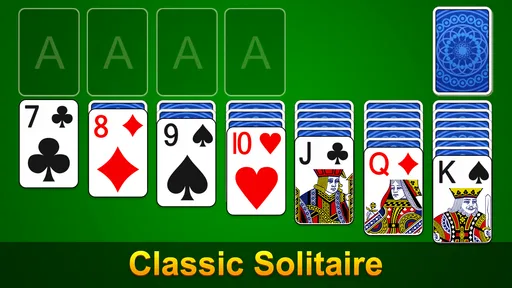
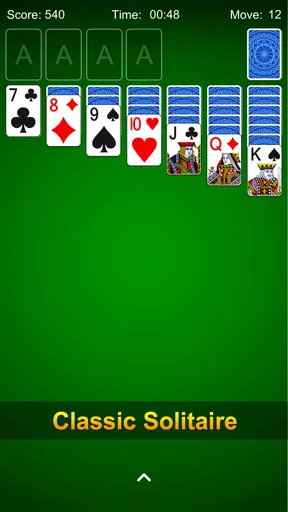
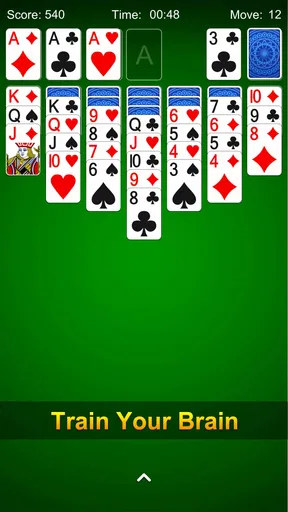
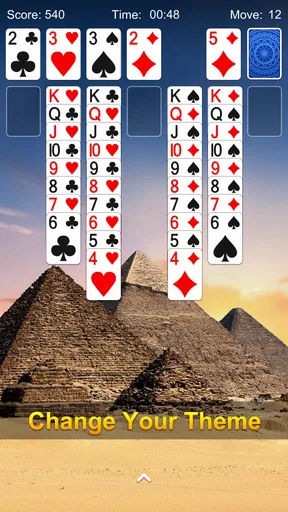
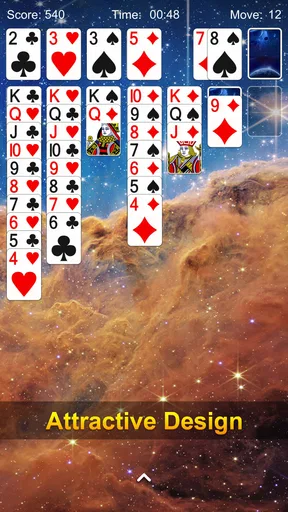
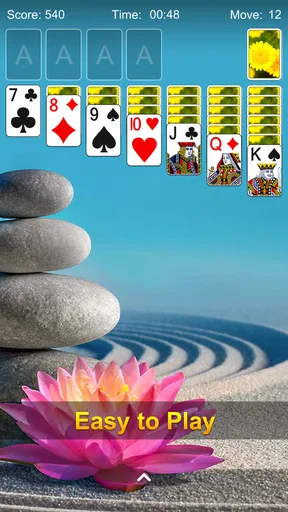
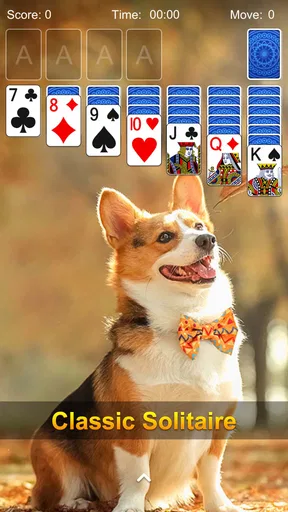

Our Review of Solitaire - Classic Card Game
 Analysis by Appyee
Solitaire - Classic Card Game is the kind of board game I open when I want a quiet few minutes rather than a complicated challenge with a long tutorial. Its appeal is immediate: the familiar solitaire format, a clean card-by-card decision process, and enough uncertainty to make a quick break feel like a small puzzle. I found it easy to start, but not so mindless that every deal feels identical.
That balance explains why I can imagine keeping it on a phone for very different moments. It works during a short wait, after finishing work, or when I want something absorbing without committing to a multiplayer match. The game is free, rated for Everyone, and runs on devices using Android 6.0 or later. Arcade Game Maker is the developer, and the current version is 1.57.305.
The important thing is to approach it as a focused solitaire experience, not as a large collection of card games. If you enjoy the traditional format and like improving your choices from one hand to the next, it makes sense. If you need social play, elaborate progression, or a broad variety of modes, this particular game may feel narrow.
How a normal session feels from the first deal
The basic workflow is pleasantly direct. I start a deal, scan the visible cards, and decide which move opens the most useful space rather than simply taking the first available action. That small pause matters. Solitaire rewards planning several moves ahead, especially when a seemingly helpful card blocks a column that could otherwise be cleared.
My usual first pass is to look at the tableau for face-down cards that can be exposed quickly. I then check whether a move to the foundation is genuinely helpful or whether keeping that card in play gives me more flexibility. This is a better habit than automatically sending every available low card upward. A move can be legal and still be strategically poor.
The game suits short sessions because the rules are already familiar to most players. I do not have to learn an unusual board layout or remember a large set of special powers. The challenge comes from sequencing: deciding which stack to move, when to use the stock, and whether to preserve an empty column for a king. That makes each turn understandable while still leaving room for mistakes.
For a realistic everyday example, I might play while waiting for an appointment. I can begin a deal, make a few deliberate moves, and stop without losing the value of the break. On a longer train ride, I can use the same session as a more serious concentration exercise. The game scales well to both situations because its core loop does not depend on sound, chat, or a story that needs constant attention.
One useful discipline is to avoid treating the stock as a button to press whenever the tableau looks awkward. I first inspect every visible option, including moves that rearrange cards without immediately revealing one. Sometimes the best turn is a temporary relocation that creates a better sequence later. That is where the game feels more thoughtful than a simple card-matching pastime.
I also recommend checking the entire tableau before committing to a foundation move. A card that belongs in the foundation eventually may still be valuable as a connector in the tableau. Keeping it available can allow a longer alternating-color sequence to form. This is a small but important distinction between playing reactively and managing the board.
Because the format is familiar, the learning curve is gentle. A new player can understand the objective quickly, while an experienced player can focus on efficiency and consistency. The game does not need a dramatic presentation to be engaging; the satisfaction comes from spotting a route through a difficult layout and seeing the board gradually open.
Small habits that make the opening stronger
My most reliable opening habit is to compare possible moves by what they reveal, not by how many cards they move. Exposing a face-down card is often more valuable than transferring a long visible sequence. Likewise, creating an empty column is useful only if I can fill it with a suitable king or use the space to reorganize the tableau.
I try not to bury an accessible card beneath a sequence merely because the move is available. Before moving a stack, I ask whether the destination improves access to hidden cards or simply changes the appearance of the board. This prevents a common trap: making the tableau look tidier while reducing the number of practical choices.
Another repeatable habit is to remember the order of cards revealed from the stock. I do not need to memorize everything, but noting a blocked card or a useful lower card can influence later decisions. When the stock cycles back, that awareness helps me avoid wasting a turn or overlooking a card that was previously unavailable.
These habits are especially helpful for players who already know solitaire but feel that their results depend entirely on luck. Luck still matters, but careful sequencing improves the quality of the decisions available to me. The game becomes less about tapping quickly and more about preserving options.
Settings and controls worth checking before settling in
I would spend a moment exploring the available in-game controls before judging the experience. In a solitaire game, small presentation or interaction choices can affect comfort more than expected. A layout that feels fine for one-handed play may be less convenient when I am trying to study several columns at once, so I prefer to check how the board responds to my normal grip and screen orientation.
The practical question is not whether every setting needs changing. It is whether the default arrangement lets me read card ranks and suits without hesitation. If I am repeatedly misreading a red card as black or tapping the wrong pile, the problem is not strategy. A short adjustment period can make the difference between a calm session and a frustrating one.
I also treat undo-related controls carefully when they are available in the play experience. Undo can be useful for learning why a move failed, but relying on it after every decision changes the character of the game. My preferred approach is to use it as a review tool: make a move, notice the consequence, and occasionally step back to test a different line. That turns a mistake into a lesson instead of simply erasing it.
Players who use the game during breaks should also decide how they want to handle interruptions. Before leaving a session, I make a mental note of the next unresolved choice rather than reopening the game and tapping at random. This simple pause habit keeps the board readable when I return and reduces the temptation to restart a deal just because I have forgotten the position.
The game’s free price makes it easy to try without turning the decision into a purchase comparison. Still, free does not mean every player will find it ideal. Someone who wants a highly customizable card table, extensive statistics, or a large menu of variants should inspect the controls and overall presentation early. The value here is the straightforward core game, not an elaborate simulation of a physical card collection.
For accessibility, I would judge the experience by whether the cards remain comfortable to distinguish during a normal session. Solitaire involves repeated visual scanning, so screen brightness, text size, and a stable viewing angle matter. These are simple device-level adjustments, but they are more useful than trying to compensate for eye strain by playing faster.
The age rating of Everyone makes the game suitable for a broad audience, including families looking for a quiet, non-competitive activity. That does not mean every child will enjoy it. Younger players who prefer immediate rewards or animated action may find the deliberate pace slow, while adults and older players who like pattern recognition may appreciate its calm rhythm.
How experienced players use the interface as part of the strategy
After a few sessions, I stop seeing the controls as separate from the game. The way I pause, review a move, or return to a position affects how honestly I evaluate my decisions. I try to make a plan before touching the screen, then use the interface to confirm that plan rather than replace it.
A good routine is to scan from left to right, identify the most promising exposed card, and only then consider the stock. This reduces impulsive taps and gives me a consistent method for comparing deals. If a session goes badly, I can identify whether I made a poor opening choice, used the stock too early, or blocked a needed sequence.
This repeatable approach is more valuable than chasing speed. Fast play can feel satisfying, but it often hides avoidable errors. I prefer to become faster as a result of recognizing familiar patterns, not because I am skipping the planning stage.
Faster patterns without turning the game into a race
There are several ways to make decisions more efficiently. The first is to prioritize moves that increase future mobility. Exposing a hidden card, freeing a column, or building a sequence that can be moved later usually gives me more options than a move that only advances one card toward the foundation.
I pay particular attention to kings because empty spaces are not automatically helpful. An empty column has strategic value only when I can place a king there or use the space to reposition a meaningful sequence. Creating the space too early can leave it idle, while delaying the move may keep the tableau crowded. The right timing depends on what is still hidden.
Another pattern is to compare colors before building long sequences. A long alternating sequence looks powerful, but if it contains a card needed elsewhere, moving the whole group may make the remaining tableau harder to solve. I often prefer a shorter move that exposes a card, even when the larger sequence appears more impressive.
Foundation progress also needs restraint. Advancing cards is satisfying, but I do not treat the foundation as the only measure of progress. The tableau is where flexibility lives. If moving a card upward removes the only bridge between two useful sequences, I may wait. This is one of the clearest trade-offs in the game: immediate progress versus future access.
When the stock offers several choices, I try to remember what each draw is likely to affect. A visible card that can be used now may be less valuable than a card that opens a blocked column on the next pass. I do not need a perfect calculation every time; even a rough memory of the stock order improves my choices.
For players who want a faster rhythm, I suggest separating the session into two phases. During the opening, play slowly and maximize information. Once the hidden cards are mostly exposed and the useful sequences are clear, the endgame often becomes more mechanical. This produces speed naturally while protecting the decisions that matter most.
The comparison with physical cards is revealing. A real deck offers tactile satisfaction and makes it easy to spread cards across a table, but a phone is more convenient for short sessions and keeps the game contained. Compared with a multiplayer board game, this app offers privacy and no pressure to wait for another person. Compared with more elaborate digital solitaire collections, its narrower focus may be an advantage if I want to start playing immediately.
That focus can also be a limitation. If I am looking for a social challenge, competitive rankings, or a changing set of themed modes, a broader card app would probably suit me better. This game is strongest when I want the traditional solitaire decision loop without extra systems competing for attention.
Where the challenge becomes more demanding
Solitaire can feel easy at first because the rules are familiar, but difficult deals expose the limits of casual play. The main challenge is not recognizing legal moves; it is preserving enough flexibility to recover when the obvious route disappears. I notice this most when several columns contain low cards that cannot be paired productively with the visible colors.
At that point, restarting immediately is tempting, but I prefer to use the deal as a diagnostic exercise. I look for the exact decision that reduced my options. Did I move a sequence before checking another column? Did I send a card to the foundation too early? Did I use an empty space without a clear purpose? These questions make a failed game useful.
There is also a limit to how much strategy can overcome the layout. Some deals simply provide fewer workable routes than others. That is not a flaw unique to this game; it is part of solitaire’s identity. The fair way to judge the experience is by the quality of the decisions it invites, not by expecting every hand to end in a win.
Players who dislike uncertainty should know what they are signing up for. A puzzle with a guaranteed solution may feel more rewarding if every failure can be traced to a mistake. Here, even careful play cannot remove the role of the deal. I enjoy that tension, but someone seeking complete control may prefer a deterministic logic game.
Another limitation is the potential for repetition. The traditional structure is excellent for building a personal routine, yet it does not provide the variety of a full board-game library. After several sessions, I may want a different type of challenge. In that situation, this app works better as one dependable option on my phone than as my only game.
The broad device compatibility is useful for people with older Android hardware, since the minimum requirement is Android 6.0. I would still judge the experience on the actual screen in front of me, because a small display can make long sessions less comfortable even when the game runs correctly. For occasional play, that may not matter; for daily use, it is worth considering.
The game has been available since September 26, 2017, and its established presence is reflected in its audience: it has passed ten million installs, with an average rating of 4.4 from around thirty thousand ratings. Those figures suggest that the simple format has found a substantial audience, but they should not replace personal fit. A popular solitaire game can still be the wrong choice for someone who wants novelty or multiplayer interaction.
When I compare it with a physical deck, I miss the freedom to spread cards across a large table and physically mark a promising sequence. When I compare it with a feature-heavy digital alternative, I appreciate the reduced distraction. The trade-off is clear: convenience and focus in exchange for fewer reasons to return once the classic format stops feeling fresh.
Who should install it, and who should pass
I would recommend it to someone who wants a free, familiar board game for short solo sessions, especially if they enjoy improving through repeatable habits. It is also a sensible choice for players who prefer quiet concentration over animation, competition, or a story campaign. The Everyone rating makes it broadly approachable, and the rules are simple enough to share with a relative who already knows traditional solitaire.
I would be more cautious about recommending it to a player who needs strong long-term progression. If unlocking content, collecting themes, competing with friends, or changing between many card variants is central to your enjoyment, a larger alternative may provide more lasting variety. Likewise, people who find repeated deals frustrating may be happier with a puzzle game where the solution path is more controlled.
For a first session, I suggest playing slowly rather than trying to win quickly. Notice which moves expose hidden cards, which foundation advances create problems, and how the stock order influences your choices. After that, use the same opening scan in every deal. Consistency makes it easier to tell whether a loss came from the layout or from a habit you can change.
My verdict after settling into the routine
Solitaire - Classic Card Game succeeds because it does not overcomplicate a format that already works. I can open it, understand the board immediately, and spend five minutes or much longer making decisions that are easy to follow but not always easy to solve. The best part is the quiet sense of improvement that comes from recognizing a better sequence than I would have chosen yesterday.
Its weaknesses are tied to the same simplicity. The experience may feel repetitive for players who need constant novelty, and the traditional solitaire structure cannot offer the social energy of a multiplayer board game. I also would not choose it when I want a deep collection of variants or a more dramatic presentation.
For me, the strongest use is as a dependable solo break. I use a deliberate opening scan, preserve flexible cards, treat the stock as a resource rather than a reflex, and review mistakes instead of blaming every failed deal on luck. Those habits make the game more rewarding without pretending that every layout can be mastered.
With a 4.4 average and more than two thousand written reviews, it has clearly connected with many players, while its free access removes the main barrier to trying it. My recommendation is straightforward: install it if you want classic solitaire in a focused mobile form and enjoy refining your choices. Skip it if you need multiplayer features, extensive variety, or a progression system to keep every session feeling new.
In the end, this is a modest game with a useful strength: it respects the player’s time. I do not need to prepare, compete, or learn a complicated system. I simply deal the cards, make the best plan I can, and decide whether the next move is worth taking. For the right kind of player, that simplicity is not a missing feature; it is the reason to keep it around.
Privacy and Permissions
See what permissions an app requests and how it handles your data.
- Wi-Fi connection information
- view Wi-Fi connections
- Other
- view network connections, full network access, control vibration, prevent device from sleeping, Google Play license check
Verdict
Strengths of Solitaire - Classic Card Game
- Works offline, making it convenient for travel or areas with weak connectivity.
- Simple controls are easy to learn for both beginners and casual players.
- Multiple difficulty options provide a suitable challenge for different skill levels.
- Short rounds make it easy to enjoy a quick game during spare moments.
- Helpful hints and undo options reduce frustration during difficult deals.
Limitations of Solitaire - Classic Card Game
- Frequent ads may interrupt play, especially between completed games.
- Some features or themes may require in-app purchases to unlock.
- Random deals can occasionally feel repetitive after extended play sessions.
- Battery use may increase when animations and sound effects remain enabled.
- Limited social features offer little interaction with friends or other players.
Similar Picks in This Category
View All
Ludo King®
Gametion4.1

Ludo
Yarsa Games4.6

Tile Master® - Matching Game
Higgs Studio3.6

Checkers Online
CC Games4.6

Dominoes
Loop Games4.7

Chess
Chess Prince4.6
Frequently Asked Questions
What is Solitaire - Classic Card Game?
Solitaire - Classic Card Game is a digital version of the traditional Klondike card game, designed for playing on Android and iOS devices. The objective is to arrange cards into foundation piles by suit and in ascending order, beginning with the Ace and ending with the King. It is generally easy to learn and suitable for both short sessions and longer games.
How do you play Solitaire - Classic Card Game?
To play, arrange cards in the tableau in descending order while alternating red and black suits. Move Aces and other cards to the foundation piles as soon as they become available, and draw cards from the stock when you need additional moves. Depending on the selected mode, you may be able to undo actions, receive hints, or choose between one-card and three-card draws.
Can Solitaire - Classic Card Game be played offline?
In most cases, the main Solitaire gameplay can be enjoyed without a constant internet connection, which makes it convenient for travel, commuting, or relaxing in areas with limited service. However, certain features may still require internet access, including advertisements, cloud synchronization, online statistics, daily challenges, updates, or other connected services provided by the specific app version.
Is Solitaire - Classic Card Game free to download?
The game is commonly available as a free download, although the exact pricing model depends on the Android or iOS version you install. Free editions may include advertisements, optional purchases, premium themes, or subscriptions. Before downloading, check the store listing for in-app purchase details, advertising information, and whether particular features are restricted behind a paid upgrade.
Is Solitaire - Classic Card Game suitable for beginners?
Yes, Solitaire is generally very accessible for new players because the basic rules are simple and the game progresses at a comfortable pace. Beginners can learn by experimenting with card movements, while hints and undo tools may help explain possible moves. More experienced players can improve their strategy by planning several moves ahead and managing the stock carefully.
Play our best games!


